The Ultimate Guide to Cybersecurity for Small & Medium-Sized Businesses


 Jul 09, 2026

Stay in the Loop
No fluff. Just useful insights, tips, and release news — straight to your inbox.
Overview
Let’s start with something most cybersecurity guides won’t say upfront: this stuff is genuinely
confusing, the stakes are real, and the decisions you make, or don’t make, about protecting
your business matter more in 2026 than they ever have before.
You’re not an IT person. You’re a business owner trying to run a company, serve customers, manage a team, and grow something you’ve worked hard to build. Cybersecurity probably sits somewhere on your list between “important” and “I’ll deal with it when I have to.” We get it. But here’s the problem: by the time most business owners feel like they “have to” deal with it, something has already gone wrong.
This guide exists to change that. We built it, Accoona’s leadership team, our engineers, and
the people who pick up the phone when businesses across Dallas–Fort Worth and the broader Southern US have a security emergency, because we got tired of seeing the same preventable breaches happen to good businesses with good people. Consider this the guide we wish every SMB owner had read before they needed us.
We’re going to walk through everything: what cybersecurity actually means for a business your size, why the threat landscape has shifted in ways that put SMBs squarely in the crosshairs, what good protection looks like, what it costs, and how to make smart decisions without a computer science degree.
No jargon. No scare tactics. Just a straight conversation.
Table of Contents
- What Is Cybersecurity for Small & Medium-Sized Businesses?
- Why SMBs Are Prime Targets And Why It’s Getting Worse
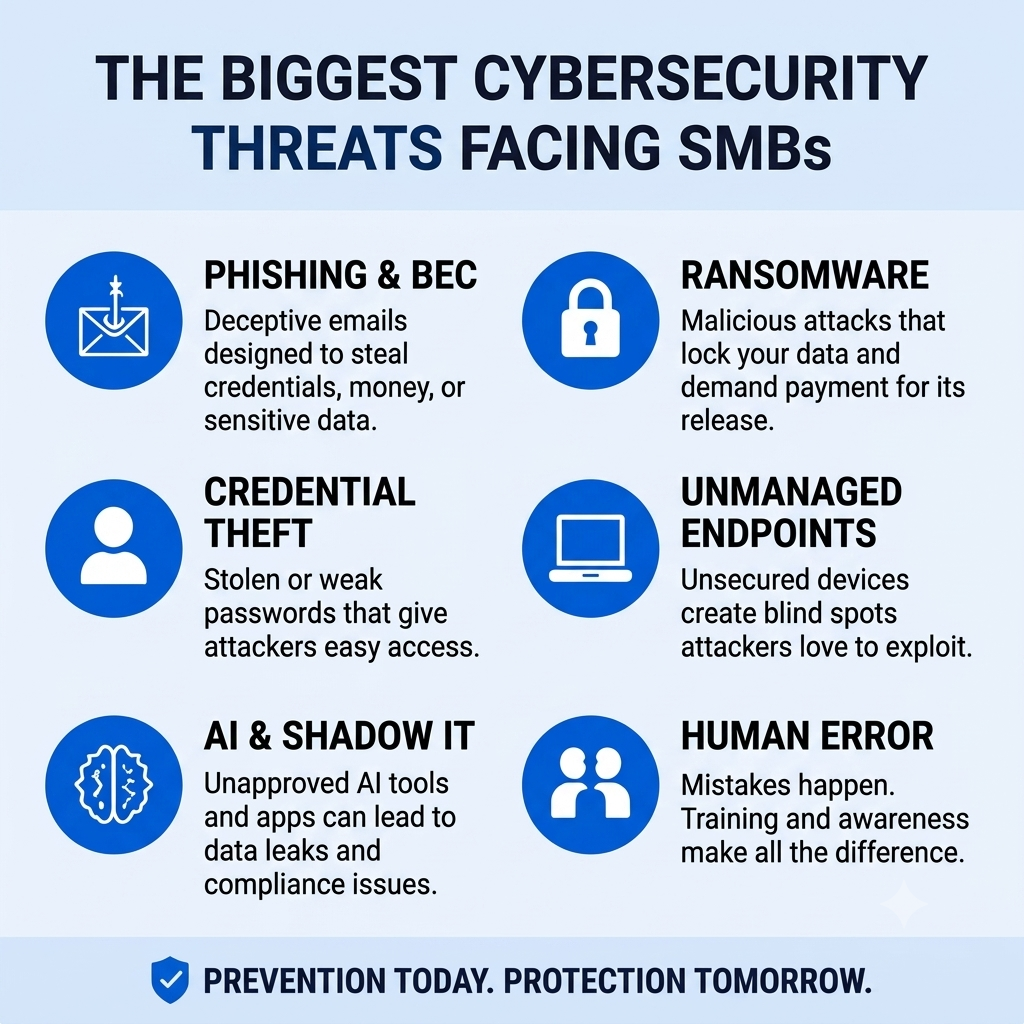
- The Biggest Cybersecurity Threats Facing SMBs Today
- Signs You’ve Outgrown DIY IT
- DIY IT vs. Managed Cybersecurity
- What a Managed Cybersecurity Provider Actually Does
- Employee Training & Human Error
- AI Risks Every SMB Should Understand
- Cybersecurity Compliance Basics
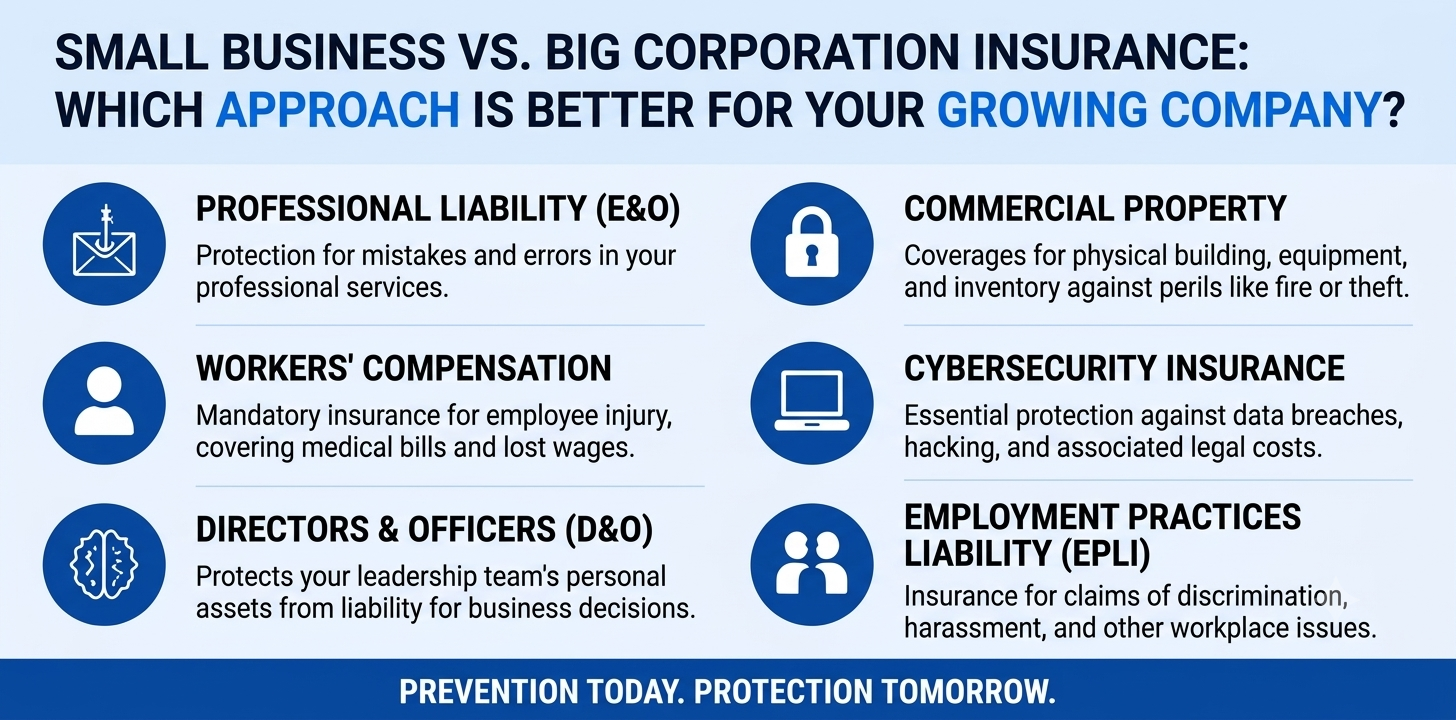
- Cyber Insurance Requirements
- How Much Cybersecurity Costs
- How to Choose the Right Cybersecurity Partner
- Frequently Asked Questions
- Get a Free Cyber Risk Assessment
1. What Is Cybersecurity for Small & Medium-Sized Businesses?
Here’s the simplest definition we’ve got: cybersecurity is everything you do to protect your business’s systems, data, and people from digital threats, unauthorized access, data theft, ransomware, fraud, and the half-dozen other things that keep security professionals up at night.
But “cybersecurity” as a word gets thrown around so loosely that it’s worth being specific about what it actually means for a business like yours. At the enterprise level, it typically means a dedicated security team, a 24/7 operations center, and an annual budget with a lot of zeros. For SMBs, the goal is exactly the same, protect the business, but the approach has to be built for how you actually operate: what your team looks like, what tools you use, what risks are most relevant to your industry.
Modern SMB cybersecurity covers five interconnected pillars
1. Endpoints – every laptop, desktop, mobile device, and machine that connects to your systems. If it has a screen and touches your network, it’s an endpoint.
2. Email —the #1 entry point for cyberattacks. Phishing protection, impersonation defense, and controls that stop sensitive data from walking out the door.
3. Cloud & SaaS — Microsoft 365, Google Workspace, your CRM, your project management tool, your accounting software. Every cloud platform your team uses is part of your security perimeter.
4. Identity — controlling who has access to what, and making sure only the right people can get in. This is the area AI tools are quietly blowing up (more on that in Section 8).
5. People — your team. The human layer is both the most important and the most underestimated part of any security program.
Cybersecurity is an operational discipline.
Here’s what we’ve learned from working with hundreds of businesses across DFW and the Southern US: owners consistently come to us believing cybersecurity is primarily a technology problem. Buy the right software, flip the right switches, and you’re protected. It’s not that simple. Technology is a layer, a critical one, but it has to sit on top of good policies, people who know what to look for, and governance that actually gets followed. Without those foundations, even the best security tools have gaps an attacker can walk right through.
2. Why SMBs Are Prime Targets And Why It’s Getting Worse
There’s a story a lot of small business owners tell themselves: “We’re too small to matter. Hackers are going after banks and hospitals and Fortune 500 companies, not us.” It’s an understandable story. It’s also one of the most dangerous things you can believe about your business.
The reality is that attackers have made a very deliberate strategic shift toward small and medium-sized businesses over the last several years. It’s not random. It’s not opportunistic. It’s calculated, and there are three reasons why SMBs sit at the center of that calculation.
Reason #1: Resistance
Enterprise organizations have spent years and millions building layered defenses, dedicated security teams, 24/7 monitoring, incident response playbooks, the works. Most SMBs, by contrast, have one person managing IT alongside twelve other responsibilities, or a break-fix contractor who shows up when something breaks. The path of least resistance for a threat actor runs directly through the SMB market.
Reason #2: Volume
Modern cyberattacks aren’t conducted by a hooded figure manually typing commands at a keyboard. They’re automated. A single threat actor can use scanning tools to probe thousands of SMB environments simultaneously, looking for the easiest vulnerabilities to exploit. Your size doesn’t protect you, it doesn’t even register. Automated attacks don’t discriminate by revenue.
Reason #3: Access
This one is under appreciated. Small and medium-sized businesses are deeply embedded in larger ecosystems, as vendors, subcontractors, and service providers to bigger organizations. Compromising an SMB often provides a trusted foothold into a much larger target’s environment. You’re not just a target in your own right. You may be the door someone uses to get somewhere else.
The financial reality of this shift is stark. According to IBM’s Cost of a Data Breach Report, the average cost of a data breach for a small business now exceeds $120,000 — and that figure doesn’t account for reputational damage, lost customers, operational downtime, or the months of recovery that follow. For a business running on tight margins, that’s not just painful. It can be fatal.
See Accoona’s cybersecurity services for SMBs → | Ransomware protection for small business →
3. The Biggest Cybersecurity Threats Facing SMBs Today
You can’t defend against what you don’t understand. So let’s talk specifically about the threats we see most frequently, and most damagingly, across the businesses we work with. These aren’t hypothetical risks. These are things that happened to real businesses last month.
Phishing & Business Email Compromise (BEC)
Phishing is the #1 entry point for most cyberattacks on SMBs, and it has gotten significantly more convincing as attackers have started using AI to craft targeted, personalized messages. Business Email Compromise is the specific flavor that costs businesses the most: an attacker impersonates your CEO, your accountant, or a trusted vendor and convinces someone on your team to wire money or share credentials. The FBI’s IC3 Annual Report consistently ranks BEC as the most costly cybercrime category, not ransomware, not data theft. Email fraud. Because it works.
Ransomware
Ransomware encrypts your files, every file, on every connected device, and demands payment to unlock them. Attacks on SMBs have increased sharply because businesses without robust backups or incident response plans have almost no leverage. You either pay or you lose everything. Average ransom demands targeting SMBs range from $50,000 to $300,000, and the total cost of recovery, including downtime, remediation, and reputational damage, often triples that figure. Read: Ransomware Recovery Is More Expensive Than Prevention →
Credential Theft & Account Takeover
Stolen or reused passwords are the starting point for a significant share of SMB breaches — and with data from hundreds of previous breaches circulating on the dark web, attackers have enormous libraries of credentials to try. Without multi-factor authentication (MFA), a single compromised password can expose email, cloud storage, financial systems, and every SaaS platform your business uses. The attacker doesn’t have to break in. You left the door unlocked.
Unmanaged Endpoints
The shift to hybrid and remote work has dramatically expanded the attack surface for most SMBs. Employees are working from home laptops, personal devices, coffee shop Wi-Fi, and in most cases, the business has zero visibility into what’s happening on those machines. Without endpoint detection and response (EDR), those devices are completely invisible to your security team. You don’t know what’s on them, what’s running on them, or whether they’re already compromised.
AI & Shadow IT
This is the fastest-growing threat vector in the SMB market in 2026, and the one most businesses are least prepared for. We’ve dedicated an entire section to it because the exposure is real, it’s happening right now inside your business, and most owners have no idea. See Section 8.
Most Businesses Already Have an AI Security Problem, They Just Don’t Know It Yet →
Insider Threats & Human Error
Most of the time, insider threats aren’t malicious. They’re a well-meaning employee who CC’d the wrong person on an email with a contract attached, or accidentally made a shared drive folder public, or configured a cloud setting incorrectly. These aren’t stupid mistakes, they’re inevitable in a world where everyone is moving fast and technology is complicated. But the consequences can be indistinguishable from a deliberate attack. And the reputational recovery, if clients or partners find out their data was exposed, can take years
4. Signs You’ve Outgrown DIY IT
Most small businesses start the same way: someone on the team is “good with computers,” you buy some antivirus software, you figure things out as you go. That’s not a failure, it’s how most businesses operate in the early days when budgets are tight and every dollar has to count.
But there’s a point where DIY IT stops being resourceful and starts being a liability. The tricky part is that the transition happens gradually, and it’s easy to miss until something goes wrong. Here are the signals we see most often in businesses that have crossed that line without realizing it
1. One person is responsible for everything IT-related
When a single employee handles security monitoring, user provisioning, helpdesk tickets, and network management simultaneously, none of those things gets the attention it needs. Security especially suffers — it’s the job that feels urgent only when something breaks.
2. You don’t know what’s on your network
If you can’t confidently list every device, cloud application, and third-party integration that touches your environment, you have a visibility gap. Attackers thrive in environments where no one knows what “normal” looks like.
3. Security events go uninvestigated
Unexplained slowdowns. Login alerts nobody looked into. An email domain that started bouncing strangely. These aren’t random, they’re signals. If your team doesn’t have the time or tools to investigate them, something may already be wrong.
4. You’re adopting new technology faster than governance
Cloud platforms, AI tools, and remote work infrastructure rolled out without IT review or access controls aren’t just inconvenient, they’re each a potential exposure point waiting to be discovered.
5. Compliance Requirements Are Increasing
Whether it’s HIPAA, PCI, the Texas Data Privacy and Security Act, or contractual requirements from an enterprise client, DIY IT cannot adequately address modern compliance obligations. And non-compliance isn’t just a fine, it can cost you contracts.
6. You can’t describe your security posture
If someone asked you right now, where are your biggest vulnerabilities? What’s protected and what isn’t? Could you answer with confidence? If not, that’s the clearest sign of all.
None of these are criticisms.
They’re just the realities of a growing business that has run out of road on the DIY approach. The good news: this is exactly what managed security is designed to solve.
DIY IT vs. Managed IT: What’s the real cost difference? → | Accoona’s Managed IT Services →
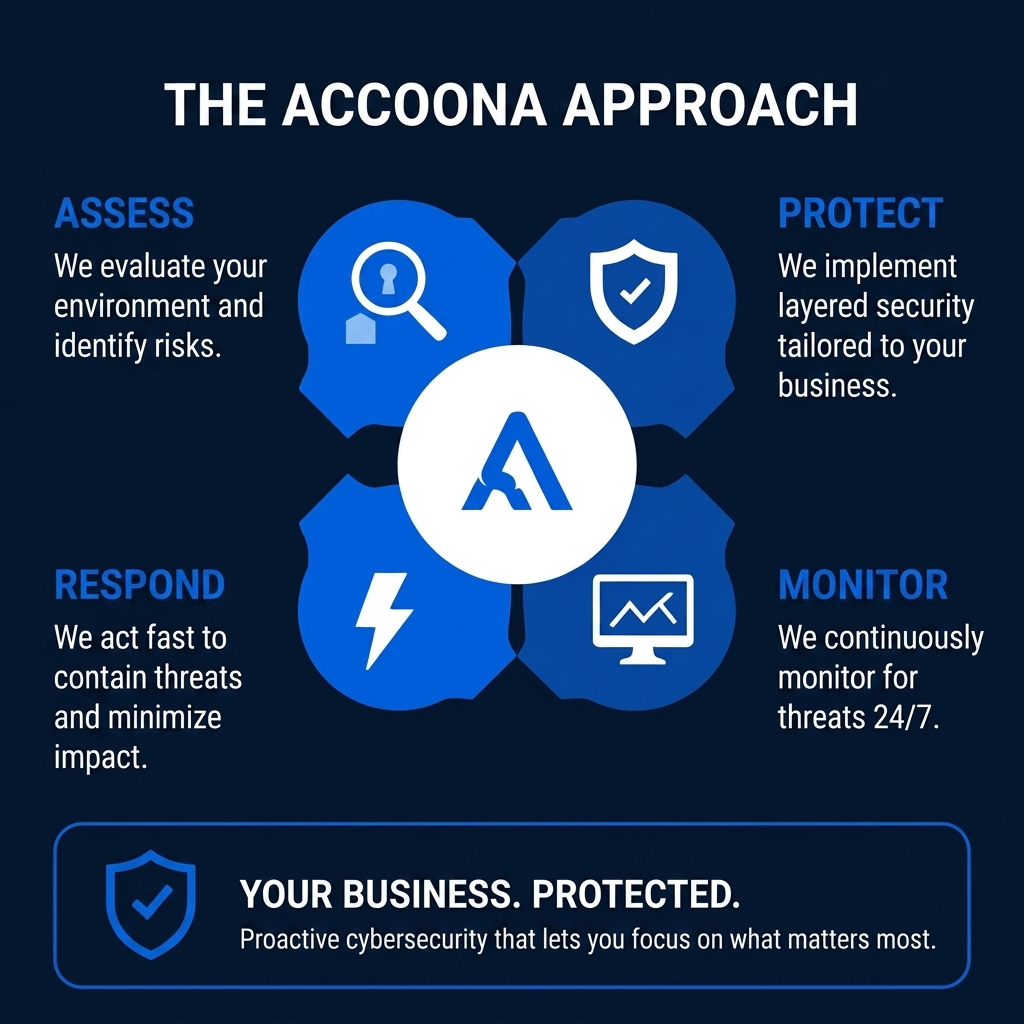
5. DIY IT vs. Managed Cybersecurity: An Honest Comparison
“Why can’t we just handle this ourselves?” It’s the question we hear most often from SMB owners evaluating managed security, and it’s a fair one to ask. The answer isn’t “because you can’t.” It’s that the true cost of doing it yourself, and the gaps that result, are almost always higher than owners realize. Let’s look at it category by category.
Coverage
DIY IT covers what someone has time for, when they have time for it, which is another way of saying it has unpredictable gaps. Managed cybersecurity covers everything, continuously. That includes the 2am Friday ransomware deployment that no one in your business is awake to catch. The difference between “mostly covered” and “always covered” is where breaches happen.
Expertise
A generalist IT employee brings broad knowledge, and that’s genuinely valuable. But a managed security provider brings dedicated specialists: threat analysts, incident responders, compliance experts, and engineers whose entire job is staying ahead of the current threat landscape. No single hire can replicate that depth, and the threat landscape moves too fast for any individual to keep up alone.
Tools
Consumer and SMB-grade security tools were designed for a simpler threat environment. They leave significant gaps, and attackers know exactly where those gaps are. Managed security services deploy enterprise-caliber, top-quadrant Gartner platforms across endpoint, email, identity, and SIEM. These tools are simply not accessible or cost-effective to manage without a provider behind them.
Cost
This is where the math usually surprises people. When you account for the fully-loaded cost of an internal IT/security hire, salary, benefits, training, tool licenses, and the gaps in coverage that still exist, managed security is almost always less expensive. And unlike an employee, it doesn’t call in sick, take vacation, or quit for a better offer.
Response Time
When a threat is detected at 2am, an internal IT person isn’t responding. A managed SOC with 200+ analysts is. Speed matters enormously in a cyberattack, every minute between detection and containment is another minute the attacker has to move laterally, exfiltrate data, or encrypt more files.
Full DIY vs. Managed comparison → | How much does managed cybersecurity cost? →
6. What a Managed Cybersecurity Provider Actually Does
The term “managed security” gets used as freely as “cybersecurity” itself, which is to say it can mean almost anything, depending on who’s selling it. So let’s get specific. Here’s a concrete breakdown of what managed security looks like in practice, not in marketing language. This is what you should expect from a real provider, and what you should ask about if it’s not mentioned.
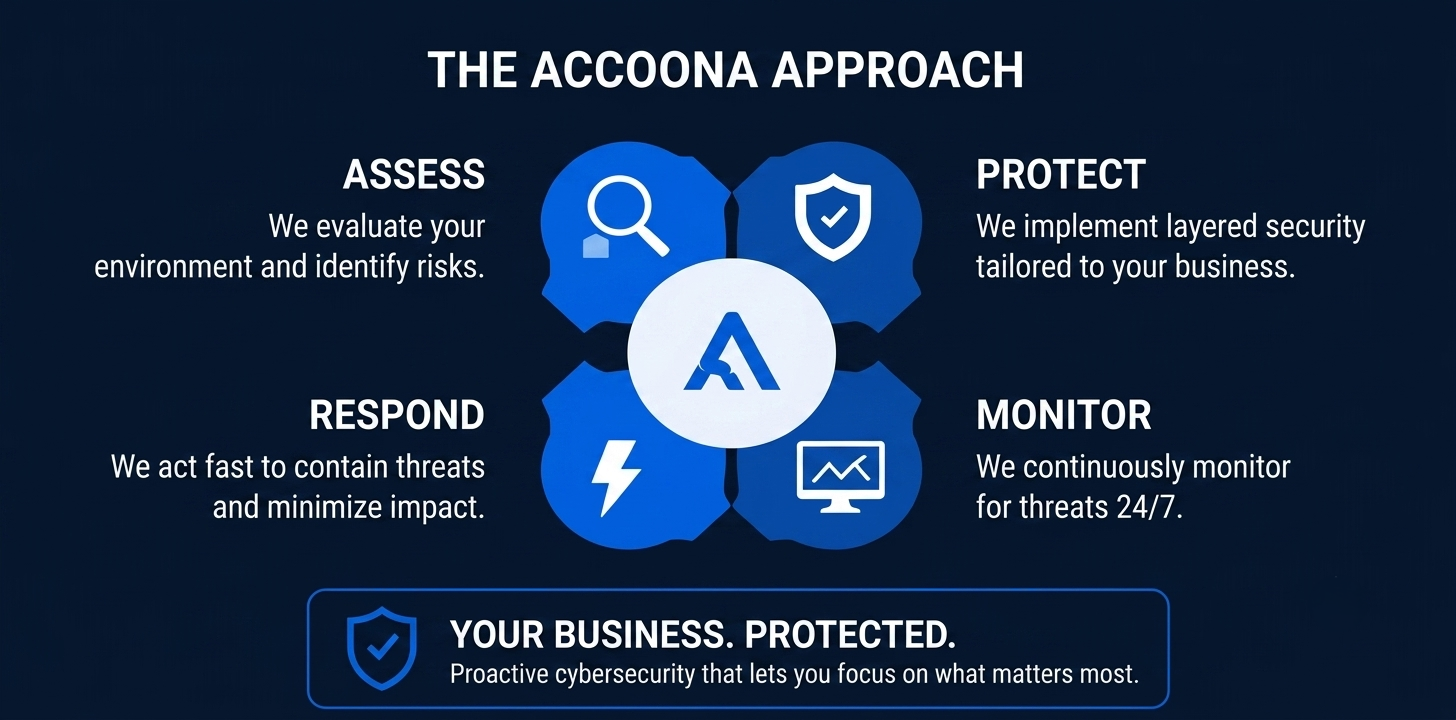
24/7 Security Monitoring (SOC)
A Security Operations Center is the nerve center of managed security. It monitors your environment continuously, endpoints, email, cloud systems, identity infrastructure, everything — and investigates alerts in real time, around the clock. When something suspicious is detected, an analyst doesn’t just flag it and move on. They investigate it, correlate it with other signals, and if it’s a real threat, they respond immediately: containing the incident, determining the scope, and remediating the damage. This is the layer most SMBs are completely missing.
Endpoint Detection & Response (EDR)
EDR software runs on every device in your environment and watches for behavioral indicators of compromise, not just known malware signatures (which yesterday’s tools look for), but suspicious patterns that suggest an attack is in progress right now. When a device is compromised, EDR can isolate it automatically, cutting it off from the rest of your network before the damage can spread. Think of it as the difference between a smoke alarm and a fire suppression system.
Email Security & Phishing Protection
Advanced email filtering goes far beyond spam blocking. It analyzes sender behavior, domain reputation, link destinations, and attachment content to catch sophisticated phishing attempts and malicious payloads before they reach your team’s inboxes. Given that email is the #1 entry point for SMB attacks, this layer isn’t optional, it’s foundational.
Identity & Access Management (IAM)
IAM is the practice of controlling who has access to what, enforced through MFA, conditional access policies, and least-privilege principles (meaning: everyone only has access to exactly what they need for their job, nothing more). As AI tools have proliferated, this has become even more critical: every AI application an employee connects to company systems is a new identity your business is responsible for. Most businesses have no inventory of those identities. IAM closes that gap.
Vulnerability Management & Patching
Unpatched software is one of the most consistently exploited entry points for attackers, and it’s entirely preventable. A managed provider maintains a continuous patching schedule, scans your environment regularly for known vulnerabilities, and prioritizes remediation based on real-world risk rather than just CVSS scores. The businesses we see breached through unpatched systems always say the same thing: “We kept meaning to get to that.”
Incident Response
For most businesses, it’s a matter of when, not if. When an incident occurs, a managed provider executes a documented response plan: containment, investigation, evidence preservation, remediation, and recovery, coordinated by people who have done this before, under pressure, for businesses very much like yours. Having a response plan before you need one is the difference between a bad week and a business-ending event.
Compliance & Reporting
Good managed security isn’t a black box. You get plain-English reporting, audit logs, and documentation your business needs to satisfy cyber insurance requirements, regulatory frameworks, and the security questionnaires that enterprise clients and partners are increasingly sending your way. Transparency isn’t just nice to have, it’s increasingly required.
See everything included in Accoona’s managed cybersecurity service →
7. Employee Training & Human Error: The Risk Most Businesses Underestimate
Ask most SMB owners where their biggest cybersecurity risk is and they’ll point to technology, the firewall, the servers, the software. Ask any seasoned security professional the same question and they’ll point somewhere else entirely: the people.
That’s not an insult to your team. It’s just the reality of how modern cyberattacks work. IBM’s research found that human error contributes to over 95% of cybersecurity incidents. The most sophisticated technical controls in the world can be undone by a single employee clicking the wrong link, responding to a spoofed email, or connecting an unsanctioned app to a company account. Attackers know this. Targeting people is cheaper and more effective than targeting systems.
The good news is that this is one of the most improvable areas of your security posture, and the improvements are measurable. When businesses implement consistent, well-designed security awareness training, click rates on phishing simulations drop significantly within the first few months. People learn. They just need to be taught the right things, in the right way, on an ongoing basis.
Here’s what effective employee security training actually looks like:
Phishing Simulations
Regular simulated phishing campaigns that test your team’s ability to recognize malicious emails in a safe environment. The goal isn’t to catch people, it’s to build the muscle memory that makes them pause before they click.
Role-Based Modules
Training content tailored to how each employee actually works. Your finance team needs different threat awareness than your sales team. One-size-fits-all security training is better than nothing, but not by much.
Policy Clarity
Acceptable use policies for AI tools, personal devices, password management, and data handling, written in plain English that people will actually read and remember, not buried in a 40-page document.
Ongoing Reinforcement
Security training isn’t a once-a-year checkbox. Attacker tactics evolve constantly. Short, frequent updates keep your team current and alert, and they reinforce a culture of security awareness rather than treating it as an annual obligation.
Full guide to employee cybersecurity awareness training → | CISA cybersecurity awareness resources for businesses →
8. AI Risks Every SMB Should Understand Right Now
We’re going to be direct about this one: AI tool adoption is the cybersecurity story of 2026 for small and medium-sized businesses, and most companies are significantly behind on the governance side of it.
Your team is using AI. They’re probably using it a lot. And in most cases, they’re doing it without any formal policy, IT review, or organizational awareness about what data is going where. That’s not a criticism of your employees — AI tools genuinely make people more productive, and of course they’re going to use them. But Zscaler’s ThreatLabz AI Security Report found that 98% of organizations have employees using unsanctioned AI applications. The exposure is real and it’s already inside your environment.
Here’s what’s actually happening inside most SMBs right now, often without the owner knowing:
Inbox Syncing
Employees connect Gmail or Outlook to AI email assistants to summarize threads and draft replies. Those tools may retain email content, use it to train future models, or store your business communications on servers you have no agreement with and no visibility into.
Document Uploads
Teams paste contracts, HR documents, financial reports, and internal SOPs directly into ChatGPT or other AI platforms to get summaries or rewrites. The moment that happens, that data exists outside your environment — on infrastructure you don’t control.
Browser Extensions
AI writing assistants installed without IT review often request alarmingly broad permissions: access to every website visited, clipboard contents, and stored login data. Most employees click through permission prompts without reading them.
AI Meeting Tools
AI note-takers join video calls automatically and store transcripts on third-party servers. Client conversations, HR discussions, board briefings — all captured by a system your IT team never reviewed and your business never approved.
Personal Accounts
When employees use personal ChatGPT or Claude accounts for work tasks, there is zero organizational visibility, zero data retention control, and zero audit trail. From a security standpoint, it’s completely opaque.
“Most businesses currently have stronger policies around USB drives than they do around AI tools that have access to their inboxes, CRMs, and cloud drives.”— Scott Stricklin, CRO, Accoona Global
The solution isn’t to ban AI — that’s both impractical and counterproductive. The solution is governance: knowing what tools are in use, establishing clear policies, applying the same access controls you’d apply to any external system, and working with a security partner who understands AI risk as a first-class concern, not an afterthought.
The four things businesses should do right now:
1. Conduct an AI tool audit — Map every AI application employees are currently using, whether sanctioned or not
2. Build an AI acceptable use policy — Specify approved tools, data classification rules, and what requires IT review before adoption
3. Apply Zero Trust principles to AI integrations — treat every AI tool as an untrusted external system requiring explicit access review
4. Partner with an IT provider — who has a real position on AI governance, not just traditional perimeter security
Read: Most Businesses Already Have an AI Security Problem — They Just Don’t Know It Yet →
9. Cybersecurity Compliance Basics: What SMBs Actually Need to Know
Compliance is probably the most eye-glazing topic in this entire guide, so we’ll make it practical. The core message is this: what once felt like enterprise-level regulatory concern is now landing directly on small and medium-sized businesses, through their industries, their payment processors, their clients, and state law. Ignoring it is no longer an option, and the penalties for non-compliance have gotten real.
Here’s a quick map of the frameworks most relevant to SMBs in Texas and across the South, and what they actually require of you.
HIPAA (Healthcare)
If your business creates, stores, or transmits protected health information, this includes dental practices, physical therapy clinics, chiropractic offices, medical billing firms, and health-adjacent businesses, HIPAA’s Security Rule requirements are a legal obligation, not a best practice. The rule mandates specific technical safeguards (encryption, access controls, audit logging), administrative safeguards (policies, training, risk assessments), and physical safeguards (facility access, workstation controls). Non-compliance fines can reach millions of dollars per violation category.
PCI-DSS (Payment Processing)
Any business that accepts, processes, or stores credit card data is subject to PCI-DSS — whether you’re a restaurant, a retail store, or a professional services firm taking card payments over the phone. Non-compliance doesn’t just mean fines. It can mean increased per-transaction fees, mandatory forensic audits after a breach, and in serious cases, loss of the ability to accept card payments altogether.
Texas Data Privacy (TDPSA)
The Texas Data Privacy and Security Act creates new compliance obligations for businesses operating in the state, including requirements around consumer data rights, data processing agreements, and security standards. If you collect personal information from Texas residents, this applies to you. Texas cybersecurity and data privacy requirements →
NIST Cybersecurity Framework
NIST CSF isn’t a legal requirement for most SMBs, but it has become the de facto language of cybersecurity maturity. Cyber insurance carriers use it. Enterprise clients reference it in vendor questionnaires. Government contractors are required to align with it. If you want to win and keep sophisticated clients or secure meaningful cyber coverage, building toward NIST alignment is increasingly non-negotiable. NIST Cybersecurity Framework guide for SMBs →
Client & Contractual Requirements
This is the compliance pressure point that catches most SMBs off guard. Enterprise clients and government partners have started adding security requirements to vendor contracts — information security policies, proof of cyber insurance, evidence of security training, sometimes formal audits. If a major client asks about your security program and you can’t answer, that’s not just embarrassing. It can cost you the contract.
10. Cyber Insurance Requirements: What’s Changed and Why It Matters
A few years ago, cyber insurance was relatively straightforward to obtain. Carriers were competing aggressively for market share, underwriting standards were loose, and most businesses could get reasonable coverage without demonstrating much security rigor. That era is definitively over.
The claims started rolling in. The losses were enormous. Carriers rewrote their underwriting standards, dramatically, and they’re not going back. Getting cyber insurance today requires demonstrating that you actually have the security controls you say you have. And keeping your coverage active means maintaining them.
Here’s what most carriers now require as a baseline in 2026:
Multi-factor authentication (MFA) on all email and privileged accounts
Endpoint detection and response (EDR) on all devices
Documented incident response plan
Employee cybersecurity awareness training
Regular data backups with tested recovery procedures
Patch management program
Network segmentation and access controls
Here’s the part that’s critical to understand: the NAIC cyber insurance market report highlights that approximately 60% of cyber insurance claims are denied or reduced due to misrepresentation on applications or failure to maintain stated security controls. That means a business declares on its application that MFA is enabled, then stops enforcing it as the team grows — and when a breach happens, the claim gets denied. The moment you need the insurance most is the moment it doesn’t pay out.
The practical upshot, and this is genuinely good news, is that the controls your cyber insurance carrier requires are largely the same controls a managed security provider delivers as its standard service. You’re not building a security program and a compliance program separately. A good managed security partner does both at once. You get better protection, easier compliance, and the confidence that your insurance will actually perform when you need it.
Cyber insurance requirements: what your carrier is asking for → | Check your cyber insurance readiness — free assessment →
11. How Much Does Cybersecurity Cost for SMBs? An Honest Breakdown
Let’s talk money, because cost is the most common reason SMBs delay investing in proper security, and it’s also the most common reason they end up spending far more after a breach than they ever would have spent preventing it. Here’s the honest comparison.
Managed Cybersecurity Service (Accoona)
$79/user/month, all-inclusive. That gets you EDR on every device, advanced email security, 24/7 SOC monitoring with 200+ analysts, real-time security dashboards, and full incident response. No surprises, no à la carte add-ons, no tool licenses you have to manage separately.
DIY Tools Pieced Together
If you try to replicate the same coverage yourself, here’s roughly what you’re looking at: endpoint protection ($30–60/user), email security ($10–20/user), SIEM/log management ($20–50/user), backup and recovery ($5–15/user). That math comes out to $65–$145/user/month — often more expensive than managed — with worse coverage, no 24/7 human response behind it, and the ongoing overhead of managing multiple vendor relationships.
Internal Hire
A mid-level cybersecurity analyst in Dallas–Fort Worth costs $85,000–$120,000/year in base salary alone, before benefits, tools, training, and the reality that one person cannot provide 24/7 coverage. To actually achieve round-the-clock security monitoring internally, you need 4–5 FTEs, a team that costs $400,000+ per year before overhead. For most SMBs, this isn’t just impractical. It’s not even close to the table.
The Cost of Not Investing
- Average SMB data breach: $120,000–$250,000+ (IBM Cost of a Data Breach Report)
- Average ransomware recovery including downtime: $200,000+
- Reputational damage, lost clients, regulatory fines: uncapped
Here’s the number that puts it in perspective: a managed cybersecurity program at $79/user/month for a 25-person company costs $23,700/year. The average cost of a breach for that same company, based on IBM’s data, would be $120,000 to $250,000, not counting recovery time and reputational fallout. The math is not subtle.
Full cybersecurity pricing guide for SMBs → | What’s included in Accoona’s $79/user/month plan →
12. How to Choose the Right Cybersecurity Partner for Your SMB
Not all managed security providers are the same, and that’s an understatement. There are vendors who deliver genuine, enterprise-grade security. And there are generalist IT companies who added “cybersecurity” to their website because it’s a selling point, without the infrastructure or expertise to back it up. Telling them apart takes asking the right questions.
Here’s the evaluation framework we’d use if we were in your seat.
Ask about their SOC
Does the provider operate a dedicated Security Operations Center? Is monitoring truly 24/7, or does it hand off to an automated system overnight? How many analysts are on staff? What’s their average response time from alert to action? These aren’t trick questions, any serious provider will have concrete answers. Vague answers (“we have monitoring in place”) should raise flags.
Ask about their tool stack
What specific security platforms do they deploy? Are those platforms recognized as leaders in the Gartner Magic Quadrant for their respective categories? The distance between best-in-class security platforms and generic alternatives is enormous, and it’s exactly the gap attackers exploit. “We use security software” is not an answer. Push for specifics.
Ask how they communicate
Security should never feel like a black box. A good managed security partner communicates proactively, in plain English, about what’s happening in your environment. If their reporting is a dashboard full of numbers with no context, or their explanations require a security degree to follow, that’s a problem. You need to understand what you’re paying for and why it matters.
Ask about their approach to AI security
This one will tell you a lot. If a provider doesn’t have a clear, developed position on AI governance, how to manage employee AI adoption, how to audit shadow AI, how to apply Zero Trust principles to AI integrations, they are behind the current threat landscape. AI risk isn’t a niche concern anymore. It’s center stage in 2026, and your security partner needs to be ahead of it.
Ask what happens when something goes wrong
Every provider will tell you they prevent incidents. What separates real security partners from everyone else is what they do when prevention isn’t enough. Ask them: What’s your incident response process? Who leads the response? How quickly do I hear from you? What does recovery look like, and who handles it? The quality and specificity of those answers will tell you more about the provider than any marketing material.
5 Questions Every Business Should Ask Their IT Provider → | About Accoona — our team and approach →
13. Frequently Asked Questions
What is managed cybersecurity for SMBs?
Managed cybersecurity means outsourcing your security operations to a specialized provider who monitors, manages, and responds to threats on your behalf, 24/7, using enterprise-grade tools and dedicated security analysts. For SMBs, it’s the most cost-effective way to achieve the kind of mature security posture that would otherwise require building and staffing an internal security team.
Do small businesses really need cybersecurity?
Yes, and the urgency is real. According to Verizon’s Data Breach Investigations Report, small businesses are the target of the majority of cyberattacks by volume. Attackers deliberately target SMBs precisely because they tend to have fewer defenses than enterprise organizations. The financial, operational, and reputational cost of a breach hits a small business proportionally harder than it hits a large one, and recovery takes longer.
How much does cybersecurity cost for a small business?
Managed cybersecurity services for SMBs typically range from $50–$100 per user per month. Accoona’s service starts at $79/user/month and includes 24/7 SOC monitoring, endpoint protection, email security, real-time dashboards, and incident response. That’s significantly less than the cost of a single internal security hire, with far broader coverage and no gaps in 24/7 protection.
What is MDR and SOC?
MDR (Managed Detection and Response) is a security service that combines advanced threat detection technology with human analyst expertise to identify and respond to threats in real time. A SOC (Security Operations Center) is the team and infrastructure that delivers that monitoring and response. Together, they provide the kind of continuous, expert-led protection that large enterprises have relied on for years, now accessible to SMBs through managed service providers like Accoona.
What’s the difference between IT support and cybersecurity?
IT support focuses on keeping your systems running, fixing problems, managing devices, supporting users when things break. Cybersecurity focuses on protecting those systems from threats, monitoring for attacks, defending against intrusions, and responding when incidents occur. Many businesses have IT support without dedicated cybersecurity, which leaves real and significant gaps. The two functions complement each other, but they’re not the same thing.
What are the signs my business has outgrown DIY IT?
Watch for these: one person handling all IT responsibilities, no real visibility into what’s on your network, security events that go uninvestigated, technology adoption outpacing policy and governance, growing compliance requirements, and an inability to clearly describe your security posture to someone who asks. If several of those apply, it’s time to have a serious conversation about managed security.
What cybersecurity tools should every SMB have?
At minimum: endpoint detection and response (EDR) on every device, advanced email security and phishing protection, multi-factor authentication (MFA) on all accounts, a managed backup solution with regularly tested recovery, and ongoing employee security awareness training. As you adopt more cloud platforms and SaaS tools, cloud security controls and identity management become increasingly critical.
Why is employee cybersecurity training important?
Because human error is the leading cause of cybersecurity incidents, and it’s largely preventable. Phishing, social engineering, and accidental data exposure all exploit human behavior, not technical vulnerabilities. Regular training, realistic phishing simulations, and clear policies measurably reduce the likelihood that an employee action leads to a breach. It’s one of the highest-ROI investments in your security program.
Does cyber insurance require security protections?
Yes, and the requirements have tightened significantly in recent years. Most carriers now require MFA, EDR, documented incident response plans, employee training, and regular backups as baseline conditions of coverage. Failing to maintain those controls after declaring them on your application can result in claim denial at exactly the moment you need coverage most. A managed security program is the most reliable way to satisfy and document these requirements.
Can AI tools create security risks for my business?
Yes, and it’s one of the fastest-growing risk areas for SMBs in 2026. When employees use personal AI accounts for work, upload internal documents to AI platforms, or connect AI tools to company email without IT oversight, they create data exposure risks that most businesses have no policy to address. Accoona helps businesses conduct AI tool audits, build acceptable use policies, and apply Zero Trust governance to AI adoption — so your team can use these tools productively without creating blind spots.
How often should businesses perform cybersecurity risk assessments?
At minimum, annually. Businesses experiencing rapid growth, adopting new technology, or operating in regulated industries should assess more frequently — especially any time there’s a significant change to your environment, team, or technology stack. Accoona offers a free initial Cyber Risk Assessment for qualifying SMBs in the DFW area and across Texas.
14. Get a Free Cybersecurity Assessment — Built for SMBs in DFW and Across the South
If you’ve made it to the end of this guide, you now have a better picture of the threat landscape than the majority of SMB owners in your market. That knowledge is genuinely valuable, but knowledge without action doesn’t protect your business.
The next step is simple: find out exactly where you stand. Most business owners are surprised by what a structured assessment surfaces, not because things are catastrophically wrong, but because the gaps are usually specific, addressable, and far more manageable when you find them before an attacker does.
In two weeks or less, our free Cyber Risk Assessment gives you a plain-English picture of:
- Your biggest security vulnerabilities, ranked by priority — not a generic list, your actual environment
- Where your current tools and policies are falling short, and what filling those gaps actually looks like
- How your AI adoption is creating exposure you may not have visibility into
- What a right-sized security program would look like for a business your size, in your industry
- What it would cost, and what it would protect you from — in numbers you can take to a budget conversation
We’ve delivered this assessment to businesses across Dallas–Fort Worth, throughout Texas, and across the Midwest and Southern United States. The businesses that act on it are consistently better protected, better prepared, and more confident in their technology decisions, and they almost always tell us they wish they’d done it sooner.
No obligation. No technical overwhelm. No sales pressure. Just a clear, honest picture of where your business stands, and what you can do about it.
Schedule Your Free Cybersecurity Assessment → accoona.it/cyber-risk-assessment/ |
Download the SMB Cybersecurity Checklist → accoona.it/download-cybersecurity-checklist/ |
Speak With a Cybersecurity Advisor → accoona.it/contact/ |